- Comparisons
Top 7 Shopify Product Badge Apps to Boost Sales in 2026
WebSensePro
Developer
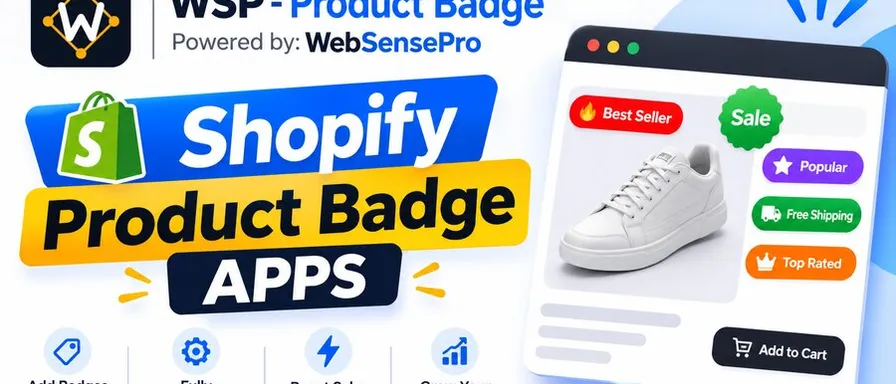
When I’m browsing an online store, my eyes always go to the little labels on the product images first. “20% OFF.” “Only 3 left.” “Best Seller.” They’re tiny, but they do a lot of the selling. If you run a Shopify store, the right Shopify product badge apps can give your products that same scroll-stopping edge.
Here’s the catch: Shopify doesn’t come with built-in product badges. You need an app. And with dozens of options in the App Store—all with similar screenshots and promises—picking one can feel like a chore.
So I’ve rounded up seven badge apps worth a look in 2026, what each does best, and who it’s right for.
Why Product Badges Matter
Before we get into the list, a quick reminder of why badges are worth your time:
- They grab attention. A bright “Sale” or “New” label makes a product stand out in a busy collection grid.
- They create urgency. “Low stock” or “Limited time” badges push hesitant shoppers to buy now, not later.
- They build trust. “Top seller” and “Customer favorite” labels act as social proof.
- They communicate fast. Labels like “Organic,” “Handmade,” or “Free shipping” share key details without a wall of text.
The best badge apps also work automatically. Instead of tagging products by hand, they read your prices, stock levels, and collections and show the right badge on the right product.
1. WSP ‑ Product Badge (by WebSensePro)
Free. Best for: Store owners who want a simple, automated badge app with no theme code edits
I’m starting with WSP ‑ Product Badge, a brand-new app from WebSensePro that launched on the Shopify App Store. It’s built around one idea: set your rules once and let the badges take care of themselves.
Key features:
- Ready-made badge types: Sale, New, Low stock, Top seller, plus your own custom labels.
- Set-and-forget rules: Choose the styling and position for each badge once.
- Automatic updates: Badges update automatically when prices, stock, or collections change, so a “Low stock” badge appears when inventory drops and disappears when you restock.
- Scheduling: Set badges to start and end on specific dates, which is perfect for Black Friday, holiday sales, or limited launches.
- No code needed: It runs as a theme app embed, so you don’t touch your theme files, and uninstalling leaves your theme clean.
- Shows everywhere it counts: Collection pages, product pages, search results, and the home page.
Why I like it: It’s completely free and covers the badge types most stores actually use. The scheduling feature is especially handy for seasonal promotions. You can set your sale badges ahead of time instead of scrambling on launch day.
Worth knowing: Because it’s so new, it doesn’t have reviews yet, and it’s English-only for now. If you like being an early adopter of free tools, it’s an easy one to try.
👉 Try it here: WSP ‑ Product Badge on the Shopify App Store
2. DECO Product Labels & Badges
Pricing: Free plan (2 labels), paid plans from $4.95/month. Best for: Most stores that want a proven, well-reviewed option
DECO is one of the most popular badge apps on Shopify, with a near-perfect rating across well over a thousand reviews. The free plan is a good starting point, and the paid plans stay affordable as you grow. Merchants often mention how easy it is to use and how helpful the support team is.
Good to know: The free plan limits you to two labels, so larger catalogs with lots of promotions will likely need a paid plan.
3. Sami AI Product Labels & Badge
Pricing: Free plan available, paid plans for advanced features. Best for: Growing stores that want AI-assisted designs and customer targeting
Sami uses AI to help you design labels and badges, which saves time if design isn’t your strong suit. It also handles trust badges. Its standout feature is targeting: you can show different badges to different customer groups (wholesale vs. retail) or show region-specific sale labels.
Good to know: Advanced targeting is great for bigger stores, but it may be more than a small shop needs.
4. Product Badges & Labels (Mint)
Pricing: Free plan available. Best for: Stores that want trust icons and product labels in one place
This app goes beyond sale labels. It helps you add trust badges, payment icons, social media icons, feature icons, and banners alongside your product labels. It holds a 5-star rating from over a thousand reviews, which says a lot about reliability.
Good to know: It leans toward trust and social proof elements, so if you only want simple sale and stock badges, a dedicated badge app may feel more focused.
5. ShineTrust Product Badges
Pricing: Free plan (2 badges), paid plans from $7.99/month. Best for: New stores that want a full conversion toolkit
ShineTrust is less of a pure badge app and more of a conversion toolkit that includes badges. If you’re just starting out and want several sales-boosting tools in one install, it’s good value.
Good to know: It has fewer reviews than the bigger names, so some features haven’t been tested as widely.
6. Hextom: Upsell Sales Boost
Pricing: Free plan available, with paid upgrades. Best for: Merchants who want badges plus countdown timers and upsells
Hextom bundles a big set of sales tools (30+ by their count) into one app. Product labels and trust badges sit alongside countdown timers, inventory timers, and upsell features. If you like to keep your app list short, this one does a lot of jobs.
Good to know: With so many features, there’s more to set up, and you may pay for tools you never use.
7. Algoshop Promo Label & Badge
Pricing: Check the App Store listing for current plans. Best for: Large stores with hundreds of products
Algoshop is a solid pick when you have a big catalog and need new arrivals or promotions to stand out among hundreds of products. Reviewers describe it as easy to set up and professional-looking.
Good to know: It’s built with larger catalogs in mind, so small stores may not need everything it offers.
Quick Comparison
| App | Starting Price | Best For |
|---|---|---|
| WSP ‑ Product Badge | Free | Simple, automated badges with scheduling |
| DECO Product Labels & Badges | Free / $4.95 per month | Proven all-rounder |
| Sami AI Product Labels & Badge | Free plan | AI designs and customer targeting |
| Product Badges & Labels (Mint) | Free plan | Trust icons + labels |
| ShineTrust Product Badges | Free / $7.99 per month | All-in-one toolkit for new stores |
| Hextom: Upsell Sales Boost | Free plan | Badges + timers + upsells |
| Algoshop Promo Label & Badge | See listing | Large catalogs |
How to Choose the Right Shopify Product Badge App
Here are the questions I’d ask before installing anything:
- Does it update badges automatically? Manual tagging gets old fast. Look for apps that react to price, stock, and collection changes.
- Does it need theme code edits? Apps that use theme app embeds are safer. They won’t break when you update your theme, and they uninstall cleanly.
- Can you schedule badges? For seasonal sales and launches, scheduling saves you a lot of last-minute work.
- Where do badges show up? Make sure they appear on collection pages and search results, not just product pages. That’s where shoppers decide what to click.
- What does it cost as you grow? Many free plans cap the number of badges. Check what you’ll pay once you need more.
- Is it mobile-friendly? Most of your shoppers are on their phones, so badges need to look good on small screens.
Tips for Using Product Badges Without Overdoing It
- Less is more. One or two badges per product is plenty. Too many and nothing stands out.
- Be honest. Only use “Low stock” when stock really is low. Shoppers notice fake urgency, and it hurts trust.
- Stay on brand. Match badge colors and fonts to your store’s look.
- Test and tweak. Try different badge text, colors, and positions, and watch which ones get more clicks.
- Clean up after sales. Expired “Sale” badges look sloppy. Scheduling handles this for you.
Final Thoughts
Product badges are one of the simplest ways to make your Shopify store more persuasive. A well-placed label can point shoppers to your best deals, create urgency, and build trust at a glance.
If you want a free, no-code option that handles the essentials and updates itself, start with WSP ‑ Product Badge by WebSensePro. If you need a long track record of reviews, AI design help, or a bigger all-in-one toolkit, the other apps on this list are strong alternatives.
Whichever you choose, start small, keep your badges honest, and let the data tell you what works.
Ready to Connect Your AI Agent to WordPress?
Free forever. No account, no API key, no usage limits.
Download the plugin and be connected in about three minutes.