- Guides
How MCP Automation Is Transforming AI Workflows
Model Context Protocol (MCP) provides a standardized way for AI applications to communicate with external tools, services, and data sources.

WebSensePro
Developer
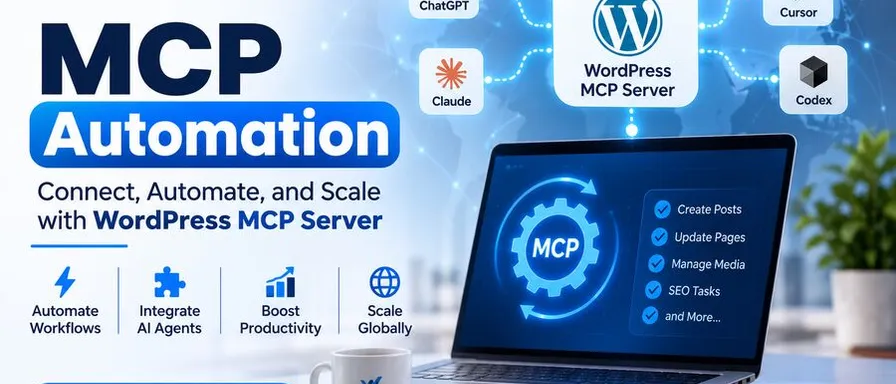
Artificial intelligence is changing how businesses manage daily operations, process information, and complete repetitive tasks. However, one of the biggest challenges with AI tools is connecting them to the systems and applications businesses already use. This is where MCP automation is becoming increasingly valuable.
Model Context Protocol (MCP) provides a standardized way for AI applications to communicate with external tools, services, and data sources. Instead of working with isolated information, AI assistants can interact with connected systems and perform useful tasks within a defined workflow.
For developers, businesses, and AI enthusiasts, MCP opens new possibilities for building smarter and more connected applications. WSP MCP explores this technology by bringing AI capabilities into WordPress and other digital workflows.
What Is MCP Automation?
MCP automation uses the Model Context Protocol to connect AI assistants with external applications, tools, and services so they can perform tasks using real data and available actions.
Traditionally, AI assistants generated responses based on user prompts and the information provided. If someone wanted to update a website, manage a database, or retrieve information from another application, they often had to switch between multiple platforms and complete the work manually.
MCP changes this approach by providing a standardized communication layer between AI applications and external systems.
An MCP-based workflow generally involves three components:
- MCP Host: The AI application that interacts with the user.
- MCP Client: The component that establishes communication with MCP servers.
- MCP Server: The service that provides access to specific tools, resources, and capabilities.
Together, these components let AI applications access information and perform actions without needing a separate custom integration for every AI client.
How MCP Automation Is Changing AI Workflows
MCP’s biggest advantage is that it makes AI more useful than just generating text. It lets connected AI applications participate in real business operations.
Here are some important ways this technology is transforming everyday workflows.
1. Automating Repetitive Business Tasks
Businesses spend considerable time handling repetitive activities such as updating records, organizing information, managing content, and checking data.
With MCP-connected tools, users can give an AI assistant natural-language instructions and let it perform supported actions through connected applications.
For example, an AI assistant connected to a business system could retrieve customer information, update an existing record, or organize information based on specific instructions.
This reduces manual work and gives employees more time to focus on important business activities.
2. Connecting AI With Multiple Applications
A major limitation of traditional AI workflows is that information often stays siloed across platforms.
MCP helps solve this problem by creating a standardized way for AI applications to communicate with different services.
For example, developers can connect AI assistants with:
- Content management systems
- Databases and business applications
- Project management platforms
- Cloud services
- E-commerce platforms
- Development environments
Instead of building a separate integration for every AI application, developers can use MCP-compatible servers to provide access to supported functionality.
3. Improving WordPress Automation
MCP automation can also make a significant difference in WordPress.
Website owners, developers, and digital marketing professionals regularly manage blog posts, pages, images, SEO metadata, and other website elements. Doing these tasks manually can be time-consuming, especially when managing multiple websites.
WSP MCP simplifies this process by connecting WordPress websites directly to compatible AI assistants.
With WSP MCP, users can:
- Create and edit WordPress posts and pages.
- Update SEO titles and meta descriptions.
- Manage website media and image information.
- Work with WooCommerce products and store settings.
- Access supported Elementor and ACF functionality.
- Manage other website features through available MCP tools.
Instead of repeatedly switching between an AI chat window and the WordPress dashboard, users can give instructions and let their connected AI assistant perform supported website operations.
4. Making AI Agents More Capable
AI agents become more useful when they can interact with external systems instead of simply generating suggestions.
MCP provides a standardized way for agents to discover and use available tools. This makes it possible to build workflows where an AI assistant gathers information, analyzes it, and performs the next action when authorized.
For example, an AI agent could review website content, identify missing SEO information, recommend improvements, and update selected metadata through connected tools.
This creates opportunities for more advanced AI-powered workflows across development, marketing, customer support, and business management.
5. Reducing Development and Integration Complexity
Developers often need to connect AI applications with different APIs and services. Creating and maintaining separate integrations can increase development time and technical complexity.
MCP offers a reusable approach. Developers can build an MCP server that exposes specific capabilities, allowing compatible AI clients to access those capabilities through a common protocol.
This can make integrations easier to maintain and expand as business requirements change.
Security Considerations When Using MCP Automation
Although MCP offers several advantages, security should remain an important consideration.
Giving an AI assistant access to business applications or websites requires proper permission management.
Some recommended practices include:
- Enable only the tools your workflow actually needs.
- Use appropriate user permissions and authentication.
- Review actions before allowing sensitive changes.
- Maintain activity logs to monitor tool usage.
- Test new integrations in a staging environment.
- Regularly review access and security settings.
For example, WSP MCP provides individual ability controls, WordPress permission checks, and an audit log to help website administrators manage AI access.
What Is the Future of MCP Automation?
MCP is creating new opportunities for businesses and developers to build connected AI workflows. As more applications adopt the protocol, AI assistants will have more opportunities to interact with business tools, retrieve information, and complete practical tasks.
However, successful automation will depend on more than simply connecting an AI model to an MCP server. Good workflow design, reliable integrations, appropriate permissions, and human oversight will remain essential.
For WordPress users, solutions like WSP MCP demonstrate how this technology can bring AI capabilities directly into website management.
Final Thoughts
MCP automation is changing how people use artificial intelligence by connecting AI assistants with the tools and applications they rely on every day. From automating repetitive business tasks to simplifying WordPress management, it provides a practical foundation for more connected, efficient workflows.
As AI technology evolves, understanding MCP will become increasingly valuable for developers, businesses, and digital professionals.
If you want to explore practical WordPress automation, visit WSP MCP and discover how you can connect compatible AI assistants to your WordPress website.
Ready to Connect Your AI Agent to WordPress?
Free forever. No account, no API key, no usage limits.
Download the plugin and be connected in about three minutes.