Top AI Agent Integrations Every Business Should Know About
A year ago, most of us used AI the same way. We typed a question into a chat window, got an answer, and pasted it somewhere else.
WebSensePro
Developer
A year ago, most of us used AI the same way. We typed a question into a chat window, got an answer, and pasted it somewhere else. That works for a quick draft, but it isn’t how a business gets real leverage from AI.
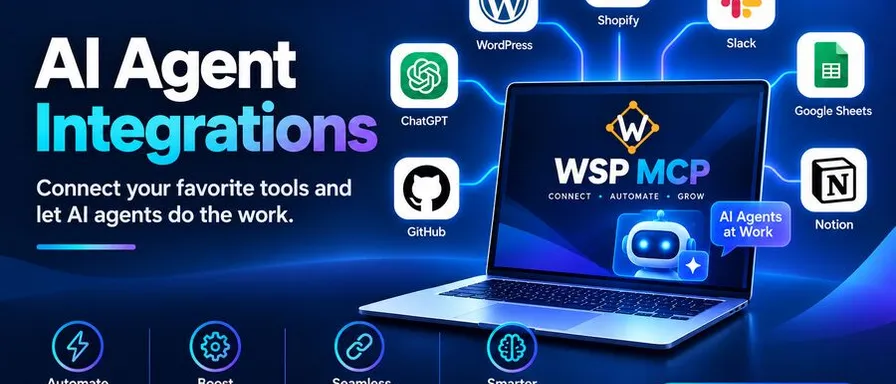
The shift I keep seeing is from AI that talks to AI that acts. An agent that can read your CMS, update your store, or check your forms is a different tool from a chatbot. AI agent integrations make that possible: they connect an AI model to the software your business already runs on.
Here are the integrations I think matter most, and what to look for in each.
First, a quick word on MCP
Most of these integration rely on the Model Context Protocol (MCP), an open standard for connecting AI clients to external tools. The practical benefit is that one MCP server can work with any MCP-compatible client. You don’t need a separate custom integration for every AI tool you try.
That matters because the AI landscape changes fast. If your connections are built on an open standard, you can switch assistants without rebuilding everything. If you’re comparing options for WordPress specifically, this breakdown of the best WordPress MCP server plugins and configurations is a useful starting points.
1. Website and CMS integration
Your website is probably your most important public asset, and it’s also where a lot of repetitive work piles up: drafting posts, fixing metadata, updating pages, hunting for outdated information.
Connecting an AI agent directly to your content management system removes the copy-paste step between a chat window and your editor. This is where I’ve seen the clearest time savings.
This is the problem WSP MCP solves. It’s a free, open-source WordPress plugin (MIT-licensed) that turns your site into an MCP server, so clients like Claude, Cursor, and Codex can work on it directly. It offers 250+ individual abilities, covering posts, pages, media, menus, themes, and more, and you can browse them all in the Abilities Directory. Some practical prompts:
“Improve the SEO on my About page.” “Find every page that mentions our old phone number.” “What’s slowing down my homepage?”
The last one shows the difference. A chatbot can only guess. An agent connected to your site can inspect your plugins, image sizes, and embeds, then suggest specific changes.
2. SEO tool integration
SEO work is detail-heavy: titles, meta descriptions, alt text, schema. It’s important and tedious, which makes it a good fit for agents.
If you use SEO plugins like Yoast SEO or Rank Math, look for an integration that lets the agent read and update those fields directly. WSP MCP auto-detects both and adds matching abilities, so the agent handles metadata where it actually lives. One user review describes handing Claude a document with an image and having it pick the category and set the SEO title and meta description without opening the dashboard.
3. E-commerce integration
For online stores, an agent connected to something like WooCommerce can help manage products, review catalog data, and handle routine store updates. These tasks eat hours but rarely require much creativity.
A word of caution: store data involves money and customers, so this is where granular permissions matter most. More on that below.
4. Forms and lead-capture integration
Contact forms are where prospects first reach you, yet they’re often the least-reviewed part of a site. Agents that can see your forms (Contact Form 7, Gravity Forms, WPForms, and similar) can help you audit fields, spot problems, and keep things consistent.
5. Page builder and custom-field integration
If your site runs on Elementor or Advanced Custom Fields, an agent that understands those structures is far more useful than one that only sees raw text. Auto-detection helps: the integration detects what you have installed and exposes the relevant abilities, so you don’t have to configure everything by hand.
What to check before you connect anything
Giving an AI agent access to a live business system is a real decision. Before enabling any integration, I’d ask these questions:
- Can I control what it’s allowed to do? Look for per-ability toggles. WSP MCP keeps write abilities off by default, and the AI can never do more than the user account it acts as.
- Is there an audit log? You want a record of every action: what was called, when, by whom, and whether it succeeded. If something goes wrong, this is how you find out.
- Can I revoke access easily? You should be able to cut the connection at any time without drama.
- Is it open source? Being able to read the code is a meaningful trust signal when software acts on your behalf.
- Have I tested on staging first? I’d always do this before pointing an agent at a production site. For more on safety and common concerns, the FAQ covers it well.
How to start without overcommitting
My advice is to begin small:
- Pick one workflow that’s repetitive and low-risk, such as drafting posts or cleaning up metadata.
- Connect it on a staging site.
- Enable read abilities first, then add write abilities one at a time.
- Review the audit log after a week and see what the agent actually did.
- Expand only when you trust the results.
The setup is lighter than people expect. You install the plugin like any other WordPress plugin, pick your AI client in the built-in configuration generator, and connect. The setup section walks through it, and there are step-by-step tutorials for each client:
- Connect Claude to WordPress (OAuth with just your site URL, no API key)
- Connect Cursor to WordPress
- Connect Codex to WordPress
- Connect Google Antigravity to WordPress
You can find them all on the tutorials page, and the changelog shows what’s new in each release.
The bottom line
AI agent integrations are what move AI from a novelty to a working part of your business. The best ones are built on open standards, give you fine-grained control, and leave a clear record of what happened.
You don’t need to connect everything at once. Start with the system where you lose the most time; for many small businesses, that’s the website. If yours runs on WordPress, WSP MCP is a free place to start. For more guides on WordPress and AI agents, browse the WSP MCP blog.
Ready to Connect Your AI Agent to WordPress?
Free forever. No account, no API key, no usage limits.
Download the plugin and be connected in about three minutes.